.png)


How To Create A Personal
Fresha Account
1. On your browser go to Fresha.com

2. Click the Login button at the top of the page or click the burger menu located in the top right corner of the screen and look for log in or sign up button.

3. To create a personal account please select “Fresha for customers”.

4. You can create an account by logging in with your Facebook, Google account or continue by signing up using your email address.

5. When you login using your Facebook or Google account, just follow a few simple instructions to complete your Fresha account creation.
6. When you log in using your email account, you will need to fill in the following details.
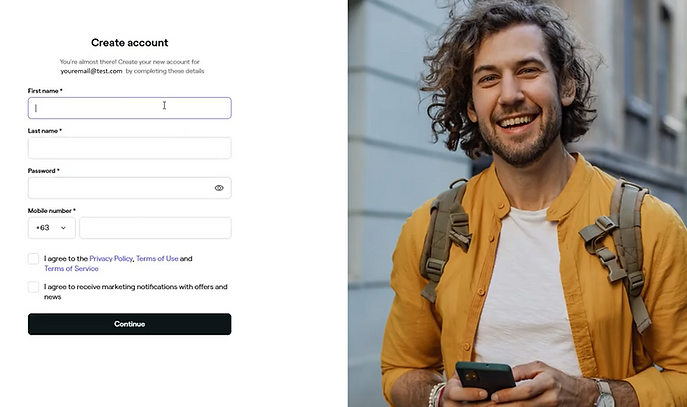
7. After filling in your details, tick the boxes below the form if you agree, then click . Once your Fresha account is created, you can book your desired appointment using your personal Fresha account.